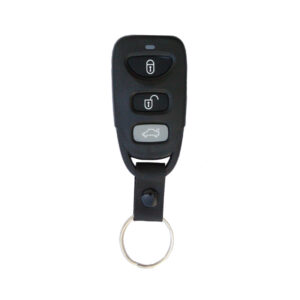
Description
Note: When adding a new key, any existing keys must also be reprogrammed during the same process. This is because programming a new key automatically deletes the old ones from the system; therefore, it is mandatory to program all keys at the same time.
Steps to Add a New Key:
-
Connect Power
- Connect the +12V and GND wires to the main control box.
-
Install the NFC Module
- Plug the NFC module into the main control box.
-
Scan Card to Lock the Main Box
- Scan the NFC card.
- You will hear a single beep (locking successful).
-
Scan Card to Open the Main Box
- Scan the NFC card again.
- You will hear two beeps (unlocking successful).
-
Press and Hold the Start Button
- Immediately press and hold the start button right after the two beeps from the main box.
-
Wait for 4 Beeps
- Do not release the button until the main box beeps 4 times.
-
Release the Button at Continuous Beeping
- When the button emits a continuous beep, release it.
-
Press the Key Lock Button
- Press the lock button on the first key twice.